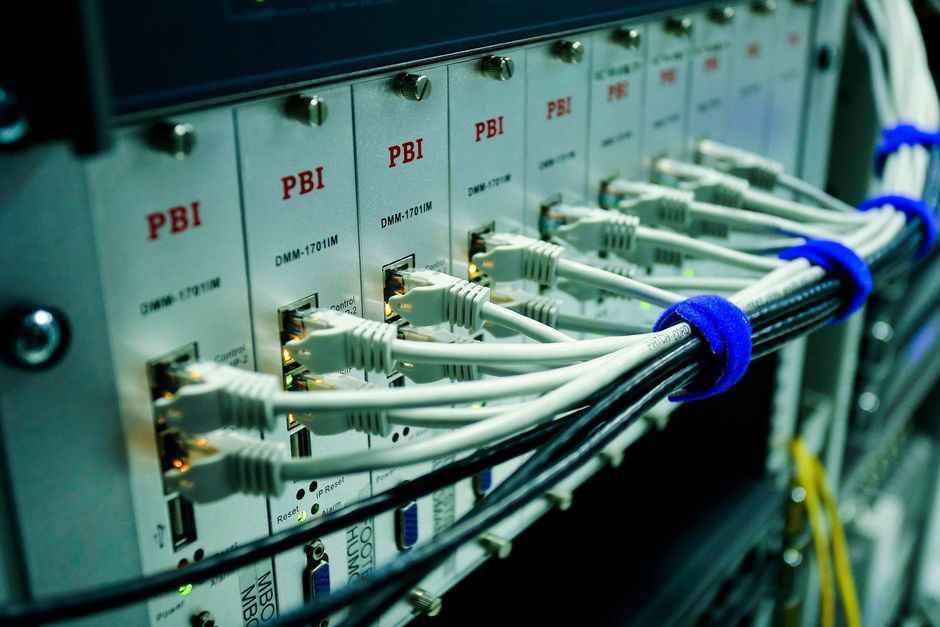
Business network support

Network support for Calgary businesses, head office, branch, yard, and remote site.

Most network problems are not dramatic. They are a firewall three firmware versions behind, a switch nobody has logged into since it was installed, or wireless that was sized for half the current headcount. CoreData finds those before they become an outage.

Scope

The equipment that carries your traffic, monitored and current.

01

Firewalls and perimeter

Policy review, firmware currency, remote access rules, and segmentation so a compromised laptop does not reach everything on the network.

02

Switching and cabling

Managed switch configuration, VLANs, PoE for phones and cameras, and structured cabling that can be traced when something needs moving.

03

Business wireless

Coverage design and access point placement for offices, warehouses, and shop floors, including guest and device separation.

04

VPN and remote access

Secure connectivity for staff off-site, field crews, and contractors, with multi-factor enforcement rather than shared credentials.

05

Circuits and failover

Internet provisioning, secondary links, and automatic failover, so a single carrier fault does not stop the business for a day.

06

Continuous monitoring

Device health, link state, and capacity watched around the clock. Most faults we act on are opened by monitoring, not by a phone call.

Inheriting a network

Taking over a network someone else installed.

This is the most common way network support engagements start, and the first step is never a purchase order. It is finding out what is actually deployed.

  • Device inventory with model, firmware level, and warranty or support status
  • Configuration capture, so the network can be rebuilt if hardware fails
  • End-of-support flagging, equipment no longer receiving security firmware
  • Topology documentation, including the links nobody remembers commissioning
  • Wireless survey where coverage complaints exist, rather than assuming more access points

Businesses are often surprised by how much of the network is undocumented and how much is past vendor support. Knowing which is which is what makes a replacement budget defensible instead of speculative.

Network engineer documenting switch and firewall configuration for a Calgary business

Beyond the office

Sites that are not a downtown floor plate.

A lot of Calgary businesses run networks that reach well past head office. That is where generic support tends to stop.

Branch and multi-site

Site-to-site connectivity, consistent policy across locations, and central visibility instead of each office running its own arrangement.

Shops, yards, and warehouses

Environments where wireless has to cope with racking, metal, vehicles, and handheld scanners rather than desks and drywall.

Remote and industrial sites

Cellular and satellite-backed links for locations without fibre, and the field systems that depend on them staying up.

Industrial IT services →

Sound familiar?

The network problems Calgary businesses actually call about.

Almost nobody calls about "network support." They call about one of these. Each has a boring, fixable cause more often than a dramatic one.

"The Wi-Fi is slow in half the office"

Usually coverage designed for a floor plan that has since changed, or consumer access points doing a business job. A survey shows where the dead zones actually are; guessing buys hardware you do not need.

"The link between sites keeps dropping"

Site-to-site tunnels riding on consumer-grade gear or a single carrier with no failover. Diagnosed with monitoring data rather than anecdotes, then fixed at the design level.

"VPN is painful, so people avoid it"

Remote access that fights its users gets bypassed, and the bypasses are the security problem. Modern remote access with MFA is faster for staff and safer for you.

"One switch died and everything stopped"

A network with no documented topology and no spare path fails all at once. Redundancy where it matters costs less than the day of downtime it prevents.

"Guests are on the same network as accounting"

Flat networks are the norm in inherited environments. Segmentation separates guests, phones, cameras, and operations so one compromised device cannot reach everything.

"Our internet went down and so did the shop"

A single circuit with no failover is a business decision, usually one nobody remembers making. A secondary link with automatic failover turns an outage into a non-event.

Where it starts

How a network assessment runs.

Every engagement starts the same way, whether the network was installed by us, by a previous provider, or by whoever was handy at the time.

  1. Discover

    Inventory every device carrying traffic: model, firmware, configuration, warranty, and support status, including the equipment past end of support.

  2. Baseline

    Monitoring goes on first, before changes. Two weeks of real data separates chronic problems from one-off complaints.

  3. Report

    A written picture of what exists, what is at risk, and what it costs to fix, ranked by consequence rather than by product margin.

  4. Remediate

    Fix in order of risk: firmware and access first, redundancy and coverage second, nice-to-haves last, scheduled around your operations.

  5. Operate

    The network stays monitored, patched, and documented under managed IT, or handed back to your team with the documentation to run it.

The bar to clear

The baseline every Calgary business network should meet.

Insurance questionnaires and client security reviews increasingly assume these are in place. If any line below is uncertain for your network, that is the gap to close first.

  • Current firmware on every firewall, switch, and access point, with no device past its security-update end date
  • MFA on all remote access, with no shared VPN credentials and no forgotten accounts from departed staff or vendors
  • Segmentation separating guests, phones, cameras, and operational systems from business data
  • Configuration backups for every managed device, so hardware failure is a swap, not a rebuild from memory
  • Monitoring and alerting that notices a failure before the first user does
  • Failover on the internet connection if downtime costs more than a second circuit, which it usually does

These overlap deliberately with our cybersecurity and business continuity practice: a well-run network is the first layer of both.

Common questions

Can you take over a network someone else installed?

Yes, and it is common. The first step is documenting what is actually deployed, inventory, firmware, configuration, and support status. Nothing is replaced before that picture exists.

How quickly are faults detected?

Monitored devices alert continuously rather than waiting for someone to report a problem. In practice most network tickets are opened by monitoring before a user notices.

Do you handle network security too?

Yes. Firewall policy, segmentation, remote access controls, and firmware currency are part of network support, not a separate engagement.

Cybersecurity and continuity →

Do you supply hardware, or only support it?

Both. Equipment is specified to the requirement and the reasoning is documented, so you can see why a given firewall or switch was chosen over the alternatives.

Can this be co-managed with our IT person?

Yes. Network monitoring and firmware management are frequently the first layers a business hands over while keeping everything else internal.

Co-managed and outsourced IT →

What does network support cost in Calgary?

Ongoing support is priced by the number of sites and devices under management, usually as part of a broader managed IT agreement. One-time work, a new site, a wireless redesign, a firewall replacement, is quoted as a fixed-scope project after the assessment.

Do we actually need managed switches?

For a single small office, not always, and we will say so. Once you have VLANs, phones, cameras, or more than one site, unmanaged gear costs more in outages and diagnosis time than it saved at purchase.

How disruptive is replacing a firewall?

Configured in advance, cut over outside business hours, with the old unit kept as an immediate rollback. Staff typically notice nothing beyond a scheduled maintenance notice.

Can you work with our existing internet providers?

Yes. We manage carriers on your behalf: diagnosing whether a fault is theirs or yours, holding them to their commitments, and provisioning secondary circuits from a different carrier where failover matters.

Talk with our team

When did anyone last log into your firewall?

If nobody can answer that, a network assessment is the cheapest thing you will do this quarter.

Request an IT assessment