Network monitoring and response
Monitor network infrastructure and key services, receive useful notifications, and address developing problems before they become larger disruptions.

 Assurance+ managed IT
Keep people productive and critical systems protected with proactive monitoring, security, backup, recovery, and responsive outsourced or co-managed IT support from a local Calgary managed service provider. Still shortlisting? Compare Why CoreData? first.
Operational confidence
Assurance+ is CoreData's engineered approach to managed IT. We combine proven business-grade tools with people who understand infrastructure, cloud services, integration, and day-to-day operations.

Coverage
Monitor network infrastructure and key services, receive useful notifications, and address developing problems before they become larger disruptions.
Give staff a clear route to timely assistance through secure remote support and scheduled on-site service when hands-on work is required.
Protect endpoints, maintain dependable backups, and prepare recovery procedures for the systems and information the business depends on.
Explore cybersecurity services →Design, deploy, integrate, and optimize cloud, on-premise, and hybrid technology as business needs change.
Explore IT consulting in Calgary →Two ways to work with us
Not every Calgary business needs the same kind of IT support. CoreData works both ways, and the right fit depends on what you already have in place.

Choosing a model
The decision usually comes down to whether you already employ someone technical, and what you want that person spending their week on.
Co-managed arrangements are frequently requested by the internal IT hire rather than imposed on them. Removing overnight alerts and routine ticket volume is usually a retention measure, not a step toward replacement. Businesses also move between the two models as they grow, and the agreement is written to allow that without renegotiating from scratch.
More on outsourced and co-managed IT in Calgary →Scope
Most managed IT disputes come from an unwritten assumption about scope. Here is how CoreData draws the line, so the boundary is visible before anything is signed rather than discovered during an incident.
Separating these keeps the monthly fee predictable. A project is scoped and priced before it starts, so capital work never arrives unannounced on an operating invoice.
Anything genuinely ambiguous is settled in writing during onboarding rather than left to interpretation. If a given system, site, or application sits outside the agreement, that is stated explicitly in the schedule rather than implied by omission.
How support works
Phone, email, or the desktop agent installed on supported machines. All three open a ticket in the same queue, so nothing depends on someone remembering a hallway conversation.
Tickets are triaged by business impact rather than order of arrival. A site-wide outage outranks a single user request, and the response targets for each severity level are written into your service agreement.
Each severity has a named escalation path and a point at which it moves from the desk to engineering. A ticket that stalls has a defined next step rather than sitting until someone chases it.
Most issues resolve remotely and faster that way. Hands-on work: hardware faults, cabling, new installs, is scheduled as a site visit rather than forced down a remote session.
A meaningful share of work begins before anyone reports a problem. Failed backups, disk exhaustion, and offline devices generate tickets automatically.
The same issue three times is a problem to fix, not a ticket to close again. Ticket data is reviewed so root causes surface as trends instead of accumulating as user frustration.
Specific response times differ by plan and are set out in the agreement rather than advertised as a headline number. Any provider quoting a single universal response time is describing marketing rather than an operating commitment, ask to see how it varies by severity, and what happens when it is missed.
The stack
Managed IT is only as good as what is actually deployed underneath it. CoreData works with established vendors rather than whatever carries the best margin, and the reasoning behind each choice is documented so you can challenge it.
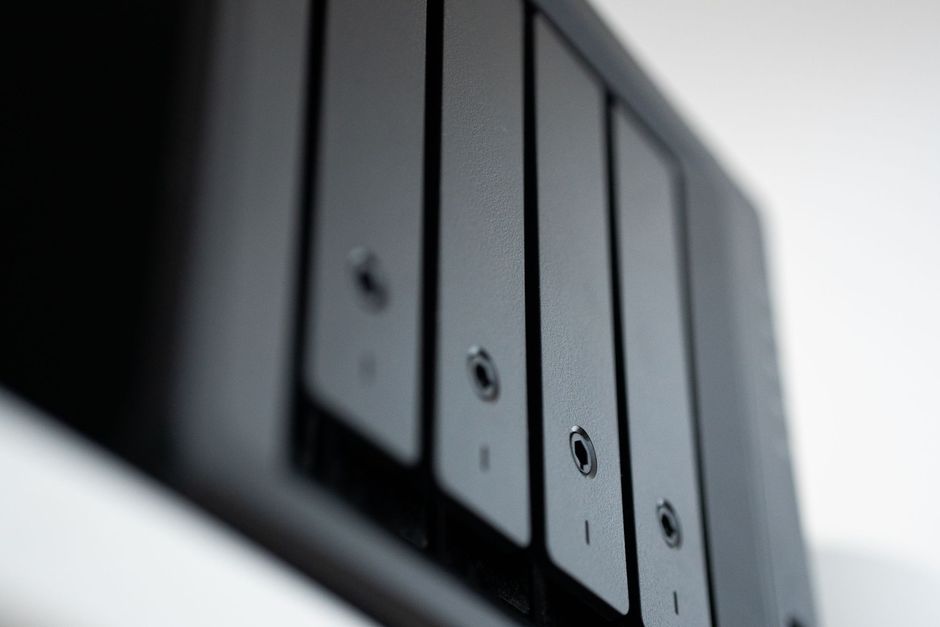
Backup deserves particular attention. A backup job reporting success is not evidence of anything. The only proof is a restore. Recovery testing is part of the service rather than an annual afterthought.
A sensible engagement
We first understand the environment, business risks, existing suppliers, and the issues users experience. Then we build a support and improvement plan around what matters most.
Review systems, users, risks, and current pain points.
Identify urgent concerns and sensible improvements.
Implement monitoring, protection, backup, and support.
Plan projects and optimize the environment over time.
Onboarding
Transitions fail when a provider replaces systems before understanding them. This sequence deliberately front-loads discovery.
Asset, licence, and vendor inventory. Monitoring and endpoint protection deployed. Backup verified by actually restoring something. Support routes published to your staff so they know who to call from day one. Anything genuinely urgent is fixed immediately rather than queued behind documentation.
Patch backlogs cleared. Identity and access reviewed, including the accounts belonging to people who have already left. Firmware brought current on network equipment. Documentation completed to the point that the environment could be rebuilt from it.
A prioritised roadmap covering equipment approaching end of support, renewal dates worth renegotiating, and the improvements that will do the most for reliability. Capital items are costed so they can enter a budget cycle rather than arrive as emergencies.
Businesses with well-documented environments move faster than this. Businesses where the previous arrangement left no records take longer, and we say so during the assessment rather than after the agreement is signed.
Cost
Managed IT is usually a fixed monthly fee, priced per user, per device, or a blend of the two, that covers the ongoing work: help desk, monitoring, patching, security, and backup. Published per-seat prices are rarely comparable between providers, because the scope behind them differs so much, so what is worth understanding is the model and the variables.
Per user: a flat monthly fee for each person supported, regardless of how many devices they use. Predictable, and usually the fairest fit for an office-based business.
Per device: priced by workstation, server, and network device. Tends to suit operations with shared machines, kiosks, or field equipment used by many people.
Blended: a per-user rate for people plus a separate line for infrastructure. Most mid-sized arrangements land here.
That last one is the most underestimated. Inherited equipment past end of support costs more to keep running, and honest providers price that in rather than absorbing it quietly and cutting corners elsewhere.
CoreData quotes after an assessment rather than from a published rate card, because quoting before seeing the environment means either padding the number or discovering the shortfall later. The assessment establishes what you already have that works, and prices only the gap. Hardware, software licences, and project work are quoted as separate lines so the recurring fee stays predictable.
Continuity
Almost every business says it has backups. Far fewer can answer the two questions that determine whether those backups will save them, and the answers change what the arrangement needs to look like.
Known as the recovery point objective. If backups run nightly at 11pm and a server fails at 4pm, you have lost seventeen hours of work: every invoice, drawing, and email processed that day. For some businesses that is an inconvenience. For others it is unrecoverable.
Shortening that window means more frequent snapshots and, usually, more storage. The right answer is a business decision about cost versus exposure, not a technical default.
Known as the recovery time objective. Restoring a large file server from offsite storage over a business internet connection can take a full day or more. If the business cannot operate during that time, the answer is not a bigger backup. It is local recovery capability, or the ability to run temporarily from a replica.
These two numbers should be agreed before an incident, because they determine the design. Deciding them during an outage means accepting whatever the existing setup happens to allow.
Recovery is also more than files. A genuine continuity plan covers who declares an incident, how staff are told what to do, how they work while systems are down, which systems come back first, and how you confirm nothing was corrupted or encrypted before the restore point. CoreData works through that sequence with clients and tests it, because an untested plan is a document rather than a capability.
Backup and business continuity →When to make a change
Low ticket volume reads as good news and often means the opposite. When people build workarounds instead of asking for help, the cost moves off the IT ledger and into lost hours where nobody measures it.
How many licences do we pay for? When does the firewall support expire? When was a restore last tested? If these take days to answer, the environment is running on memory rather than records.
If your IT hire cannot take two consecutive weeks off without something going unmonitored, that is a structural risk rather than a personal one.
Multi-factor rollout, patch cycles, and backup testing are always the first things to slip when the same person is also clearing tickets.
Environments that worked comfortably at fifteen people tend to strain somewhere between forty and sixty, usually at identity, file permissions, and onboarding.
Enterprise client security questionnaires and cyber-insurance renewals increasingly ask for documented controls. Producing that evidence takes records most small teams have never kept.
Industries
The fundamentals are consistent. What changes is the operational context around them.
Head-office IT connected to field and remote-site systems, where connectivity is intermittent and downtime carries operational rather than merely administrative cost.
Oil & gas solutions →Shop-floor and plant environments where the network has to cope with racking, vehicles, and equipment rather than desks, and where specialist applications matter more than general productivity tools.
Industrial IT services →Environments with patient data handling and retention obligations, where access control and auditable backup are requirements rather than nice-to-haves.
Healthcare solutions →Accounting, legal, and consulting firms where confidentiality, email retention, and seasonal workload peaks shape what the support arrangement needs to absorb.
Head office plus yards, shops, and job sites, with staff who work from vehicles and equipment that has to survive being carried around.
Where the real constraint is not the infrastructure but a manual process no vendor sells a product for. CoreData builds software as well as supporting it, so that conversation does not end in another workaround.
Custom software & AI →Switching providers
Most businesses stay with an underperforming provider longer than they intend to, because the switch itself looks risky. It is manageable when it is sequenced properly.
CoreData handles the technical side of a transition and can advise on sequencing. We will also say plainly when the incumbent is doing a reasonable job and the problem is scope or communication rather than capability, that is a cheaper fix than changing providers.
Plain language
Proposals from IT providers tend to arrive full of acronyms. Here is what the common ones actually mean, so you can read a quote critically.
The agent installed on your machines that reports health, applies patches, and allows remote support. It is how a provider sees a problem before you do. If a quote does not include it, the service is reactive regardless of what it is called.
The successor to traditional antivirus. Rather than matching known virus signatures, it watches for suspicious behaviour and can isolate a machine automatically. Worth confirming which you are being sold, because the difference is significant and the price reflects it.
Requiring a second proof of identity beyond a password. The single most effective control against account compromise, and now a common precondition for cyber-insurance coverage.
Keeping operating systems and applications current with security updates, on a tested schedule. Unglamorous, and the source of a large share of real-world breaches when it slips.
The written commitment on response and resolution. The useful question is not what the numbers are, but whether they vary by severity and what happens when one is missed.
A help desk fixes what is broken. A service desk also handles requests, changes, and access, the wider set of things people need. Most small businesses need the first and grow into the second.
A provider covering defined layers alongside your internal staff, rather than replacing them. Common layers are monitoring, security tooling, patching, and after-hours coverage.
Backup data that cannot be altered or deleted for a set period, including by an administrator. It exists specifically because modern ransomware targets the backups before encrypting anything else.
The principle that a cloud provider secures the platform while you remain responsible for your data and accounts within it. It is why Microsoft 365 still needs its own backup, a widely held and expensive misunderstanding.
Common questions
Assurance+ managed IT service?Assurance+ combines 24/7 monitoring, endpoint protection, help desk support, backup and recovery, and cloud or on-premise project work into one managed IT plan built around how your business operates.
No. Engagements start with a Discover step that reviews your existing systems, users, and risks. Assurance+ stabilizes and improves what you already have.
Endpoint protection, backup, and recovery are part of the Assurance+ foundation. Deeper security and continuity planning are available through our dedicated cybersecurity service.
Open a ticket directly through the CoreData client portal, or reach the help desk by phone or email.
Yes. We work alongside internal IT teams and single IT hires, providing after-hours coverage, specialist skills, project support, and extra monitoring and security capacity without replacing your staff.
Both. CoreData supports small and mid-sized Calgary businesses as fully outsourced IT support, and larger organizations through a co-managed arrangement alongside internal staff.
More on managed IT and IT consulting is coming soon to the CoreData Blog.
More questions
Pricing is normally per user, per device, or a blend of both, and the number is driven by user count, servers under management, coverage window, number of sites, and the age of the existing environment. CoreData quotes after an assessment rather than from a rate card, so the price reflects what you actually have rather than an assumption about it.
IT support is reactive: something breaks and someone fixes it. Managed IT is an ongoing arrangement that includes support but adds monitoring, patching, security, backup, and planning, with the provider responsible for preventing issues rather than only responding to them.
An MSP takes ongoing responsibility for a defined part of your technology under a recurring agreement, rather than being called in per incident. In practice it means one accountable party for support, security, backup, and vendor coordination.
Managed IT agreements run for a defined term because the provider invests in discovery, documentation, and tooling up front. Term length, notice period, and exit conditions are all negotiated before signing rather than buried in the schedule.
It remains yours. Domain names, Microsoft tenant, backup data, and documentation should be held in your name throughout. CoreData structures engagements that way, and it is worth confirming the same with any provider you are considering.
Yes, scoped in the agreement. Monitoring runs continuously regardless of coverage window, so failures are detected overnight even where human response is scheduled for business hours.
Response targets are set by severity and written into your service agreement rather than advertised as a single headline number. A site-wide outage and a password reset are not the same commitment, and any provider quoting one figure for both is describing marketing.
Yes. Microsoft 365 and Windows are the common base, and we also support specialist applications, including coordinating with the software vendor when a fault belongs to them rather than to your environment.
Both. CoreData works with Dell and Lenovo for business-class equipment, and specifies to the requirement with the reasoning documented, so you can see why a given machine or device was chosen over the alternatives.
Backup runs across Datto, Veeam, or AhSay depending on whether the workload is physical, virtual, or cloud. Restores are tested rather than assumed, a job reporting success is not evidence that recovery works, and testing is part of the service.
Yes. These increasingly require documented evidence of controls such as multi-factor authentication, patch currency, tested backup, and access review. Producing that evidence is far easier when the documentation has been maintained from the start.
Yes, and it is a common way engagements begin. Check your notice period first, confirm you own your domain, tenant, and backup data, and plan an overlap so monitoring is live before the previous arrangement ends.
CoreData is Calgary-based and focused on Calgary and the surrounding area for managed IT. Industrial and field work is carried out at client sites across Alberta.
No. CoreData works with businesses and organizations only, there is no residential or consumer support line.
Then we can say so and do something about it. CoreData has built custom software since 2000 alongside its managed IT work, so a process that no product fits does not have to end in another workaround.
Custom software & AI →It is a review of your systems, users, risks, and current suppliers, ending in a written picture of what you have and what it would take to support it properly. It carries no obligation, and if your current arrangement is working we will tell you that.
Technology partners









Related services
Managed IT bundles these together. If you only need one of them, each is available on its own.
Hand over the whole IT function, or split it with the person you already employ under a co-managed arrangement.
IT outsourcing in Calgary →A staffed desk your people can reach by phone, email, or desktop agent, with response targets written into the agreement.
Help desk support →Firewalls, switching, business wireless, VPN, and multi-site connectivity, monitored continuously rather than checked when something breaks.
Network support in Calgary →What to ask any provider before signing, and where CoreData fits among IT companies in Calgary.
About CoreData as an IT company →Talk with a local team
Request an initial conversation about support, security, backup, or an upcoming technology project.